Showing posts with label APEX. Show all posts

Sunday, February 21, 2016

APEX and the Nest Thermostat

At ODTUG Kscope 15 last year I gave a presentation about APEX plugins. During the presentation I built a plugin from scratch to control my Nest Thermostat. Everything went well until I did a live demo connecting the APEX plugin with my home Nest. I forgot to enable a service and unfortunately the demo didn't work.

I recently gave a talk to the Vancouver Oracle User Group on APEX and the Future of Enterprise Development. During this presentation I pre-recorded a video of APEX controlling my home Nest to highlight that APEX can work with the Internet of Things (IoT).

There has been some interest to see this in action so I have included a copy of the video below. On the right is a Nest plugin that I wrote for APEX, the left is the Nest app on an Android tablet, and in the center is the actual Nest.


Monday, January 4, 2016

Eh?PEX Unofficial Tour

This year I will be taking some trips across Canada and have been given the opportunity to speak in various cities. Thus the unofficial Eh? PEX tour.


Here are the different cities and links to each event:

Special thanks to Insum Solutions for helping make this all possible.

For those located in Calgary we have our monthly YYC APEX Meetup group.

Monday, November 9, 2015

ODTUG Technical Journal - Authors Wanted

If you've ever thought of starting your own blog or wanted to write a detailed article on some cool APEX or Oracle feature but didn't know where to start, now's your big chance! The ODTUG Technical Journal is looking for some new articles and we'd like to see articles from first time contributors.

Signing up is easy. Simply email Karen Cannell (kcannell@odtug.com) and let her know that you're interested in writing an article for the journal. Then you can work out a schedule with her. After that, all you need to do is write the article, Karen will take care of the rest.

This is a great opportunity to get your name out there and also promote what you and your organization have been been working on. I'm looking forward to seeing some great content from the APEX community.


Monday, November 2, 2015

1st Calgary APEX Meetup


We're having our 1st inaugural APEX meetup on Thursday Nov 12th! I'll be giving a presentation about APEX 5 and the new apex.world site.

FAQs I've received about this meetup:
  • Does it cost anything? No, it's entirely free 
  • What should I bring? Yourself. Some people like to bring their laptop to try things out at the same time. 
  • Is this a sales pitch: No, it's by the APEX community, for the APEX community. 
  • Will only APEX items be covered? Primarily we'll be talking about APEX but may deviate a bit in the future to cover some SQL, PL/SQL, and web technologies. These topics are all relevant for APEX developers. 
  • Where can I get one of the cool APEX stickers I see everyone has on Twitter? At the meetup. I've got a whole stack to give away.

Location details:

Trident Limited Partnership 

10th floor -- Must sign-in at reception desk


Special thanks to Jean Paradis and Trident Limited Partnership for securing the meeting space!


Please RSVP to let us know if you're coming.

Monday, October 26, 2015

APEX Podcast

If you can't get enough APEX there's now an APEX Podcast! This is a great opportunity to know more about the people behind APEX and some key people in the APEX community.


Juergen Schuster and I co-host the show (I only joined on recently) and it has been a lot of fun so far.

You can download each episode on the official site (apex.press/talkshow) or subscribe on iTunes.

Note: In the latest podcast we mentioned that we're looking for sponsors for the show. If you or your organization is interested in the opportunity please email me.

Monday, October 19, 2015

OOW 15 Presentations

If you're attending Oracle OpenWorld 2015 this year here are a few links for presentations I'd recommend:

  •  Open Source and Oracle Application Express [UGF4096]
    • Sunday Oct 25 8:00am - Moscone South Room 300
    • Martin Giffy D'Souza
    • If you've ever thought about using open source applications or want to become more involved with open source development for your Oracle and APEX applications this presentation is for you.
  • The Objects of My Affection: Deploying Your APEX Applications [UGF10050]
    • Sunday Oct 25 10:00am - Moscone South Room 300
    • Francis Mignault
    • Learn how to deploy your applications for testing, QA, and production. Also learn how supporting objects work, and see the new Oracle Application Express 5 features that will help you package and deploy your applications.
  • ODTUG Sunday Sessions
    • There's a lot of great presentations. Readers of this blog will most likely be focused on the PL/SQL and APEX sessions.

On Tuesday night there will be the APEX meetup. Don't get their too late since it fills up pretty quickly. We'll be in the basement.

I'll also be filming some Periscope interviews for ODTUG. If you can't attend OOW then you'll want to follow the ODTUG twitter account. This will be the first time ODTUG has ever done this and we'd appreciate your feedback. If there's someone you'd like to see interviewed during the conference please let me know below by leaving a comment on this post.

I look forward to seeing everyone there!

Monday, October 5, 2015

APEX Webinar: From the Community, for the Community

ODTUG will be hosting an APEX webinar on Monday, Oct 19th at 12:00pm EDT. The webinar is about something that several key members of the APEX community have been working on that is "from the community, for the community". I strongly recommend that everyone attend this webinar. 

I can't say anything more than the above statement and all will be revealed in the webinar. Registration is free, and you can register using this link.


Monday, September 28, 2015

APEX OOW 2015 Meetup

Each year the Oracle APEX community gets together at Oracle Open World (OOW) to have a few beers and catch up. This is a great informal event and its your chance to network with a lot of people in the APEX community and meet some of the gurus and members of the core APEX development team.

We'll be having the annual APEX OOW Meetup at Johnny Foleys on Tuesday, October 27th at 7:30 onwards. We've been their a few times now and it is a really fun night since they have duelling pianos later on in the evening. Don't show up too late or it may be tough to get in.


243 O'Farrell Street
San Francisco, CA 94102

ODTUG will also be giving away some cool APEX swag!

Looking forward to seeing everyone there!

Martin

Sunday, September 13, 2015

Custom Code for Tabular Forms (Part 2)

The previous article covered how to create a Tabular Form with manual code rather than automatic row processing. This article will demonstrate how to change the Tabular Form to modify data from multiple tables using the same Tabular Form.

Modify Tabular Form

Using the example from the previous article, modify the Tabular Form and change the query to:
select
  e.empno,
  e.empno empno_display,
  e.ename,
  e.sal,
  d.dname
from emp e, dept d
where 1=1
  and e.deptno = d.deptno

Edit DNAME

Edit the newly added DNAME column with the following changes:


Modify Page process

Change the page process to use the code snippet below. Note: This isn't the best example, as the below code will update the department name for each modified employee record. It does highlight is that you can reference and modify data from multiple tables.
if :empno is null then
  -- code to insert emp
  null;
else
  update emp
  set
    ename = :ename,
    sal = :sal
  where empno = :empno;

  -- Update dept name
  update dept d
  set dname = :dname
  where 1=1
    and d.deptno = (
      select e.deptno
      from emp e
      where e.empno = :empno)
end if;


If you've ever developed a true manual tabular form using collections, the above approach covered in this article may be a better alternative to manage and maintain.

Custom Code for Tabular Forms (Part 1)

Over a year ago I wrote an article covering how to create a tabular form and then use custom PL/SQL to process the data rather than the automatic Apply MRU and Apply MRD processes. The demo showed how to do this in APEX 4.2. This article will re-introduce the topic but use APEX 5.0 instead.


Create new Tabular Form

  • Create page > Page type: Form > Tabular Form
  • Select the following options: 
    • Note: For simplicity/demo purposes, limiting to just the SAL and ENAME columns.
  • Primary Key: Select Primary Key Column(s) > Primary Key Column 1 > EMPNO
  • Run through the rest of the wizard.

Remove Automatic DML

Since custom code will be used to process the page, delete the automatic row processing process as shown below.


Create Process

Create a new process with the following settings (the Source is included below the image).

if :empno is null then
  -- code to insert emp
  null;
else
  update emp
  set
    ename = :ename,
    sal = :sal
  where empno = :empno;
end if;


Using the above technique you can now use a tabular form to call custom PL/SQL code rather than the automatic row processing.

The next article will cover how to modify data from multiple tables in the same Tabular Form.

Report with Checkboxes (an update)

Supposed you have a report with checkboxes. Once the user selects all the rows, they can submit the page and the application would process the rows. Sounds pretty simple and straight forward however they're some additional requirements:

- The report is an Interactive Report
- There may be up to 10,000 records in the report
- When the user "scrolls" through the report (i.e. uses pagination), if they checked off a box it should remain checked the entire time (i.e. if they check an row in the 1st 15 rows, then view rows 16~30, then go back to rows 1~15 it should remain checked). Same applies if a user uses the IR filters.

If you follow this blog and the above sounds familiar, that's because it is. I wrote about this problem a very long time ago. A lot has changed since 2009 and an update on the original post is long overdue. Here's the updated (and simplified) solution.


Create Item to Hold List of IDs


Create a hidden APEX item which will contain a comma delimited list of all the IDs that are to be checked off (in this example it will be P1_EMPNO_LIST). Be sure to modify the Value Protected attribute to No. This is critical as this item will be updated via AJAX and can not have any hashing/security applied to it.

If you are loading this from a cross reference table you can use the following query in a Before Header process. This query will load all the employees from the Accounting department.
select listagg(e.empno, ',') within group (order by e.empno)
from dept d, emp e
where 1=1
  and e.deptno = d.deptno
  and d.dname = 'ACCOUNTING'

Create IR Report with Checkboxes


Create an IR with the query below. Note the p_attributes value. This is critical as we need to identify the checkboxes that should be monitored.
select 
  apex_item.checkbox2(
    p_idx => 1,
    p_value => e.empno ,
    p_attributes => 'class="empno"',
    p_checked_values => :p1_empno_list,
    p_checked_values_delimiter => ',') checkbox,
  e.ename, 
  e.job
from emp e
In the report attributes set the Page Items to Submit to P1_EMPNO_LIST. Each time the report is refreshed (pagination, filters, sorting, etc) the active list of selected values will be submitted.

Create Dynamic Action (DA)


Create a new DA with the attributes in the below image. This DA will append/remove the comma delimited list of IDs in P1_EMPNO_LIST. Note the jQuery Selector value must match what was used in the IR query above.


Configure a True action as shown below (JS code follows).

var
  //Checkbox that was changed
  $checkBox = $(this.triggeringElement),
  //DOM object for APEX Item that holds list.
  apexItemIDList = apex.item(this.affectedElements.get(0)),
  //Convert comma list into an array or blank array
  //Note: Not sure about the "?" syntax see: http://www.talkapex.com/2009/07/javascript-if-else.html
  ids = apexItemIDList.getValue().length === 0 ? [] : apexItemIDList.getValue().split(','),
  //Index of current ID. If it's not in array, value will be -1
  idIndex = ids.indexOf($checkBox.val())
;

//If box is checked and it doesn't already exist in list
if ($checkBox.is(':checked') && idIndex < 0) {
  ids.push($checkBox.val());
}
//If box is unchecked and it exists in list
else if (!$checkBox.is(':checked') && idIndex >= 0){
  ids.splice(idIndex, 1);
}

//Convert array back to comma delimited list
apexItemIDList.setValue(ids.join(','));

Demo


That's all that's required. Now each time a checkbox is checked/unchecked P1_EMPNO_LIST will be updated to reflect these changes. The checkboxes will persist each time the report is refreshed. You can see the checkbox implantation in this demo.

Considerations


This solution is fairly simple to create an manage however it does have one small caveat. If the list of checked items is very large (more than 4000 characters) you may run into some varchar2 issues. In most cases this shouldn't be an issue but if it is you should test first.

To process the list of comma delimited list you can use the apex_util.string_to_table function and loop over the table values. If you want to use the comma delimited list in a query the following example should work (again it does have varchar2 size limitations).
select regexp_substr(:p1_empno_list,'[^,]+', 1, level) empno
from dual
connect by regexp_substr(:p1_empno_list, '[^,]+', 1, level) is not null

Monday, August 10, 2015

APEX Meetup - Montreal this Thursday!

Note: The location for the Meetup has moved. Please check the meetup page for the new location.

For those in Montreal, I'll be presenting at the local #orclapex meetup this Thursday, August 13, evening from 5-7. All the information can be found on the meetup page.


Top 10 APEX API

APEX has a lot of excellent APIs. These APIs, for both PL/SQL and JavaScript, can help extend your application and improve your development. This presentation will cover some of the most useful APIs (both documented and undocumented) that are available.


The presentation will be in English however I can take questions in both French and English.

I look forward to meeting the Montreal APEX community!

- Martin

Wednesday, July 29, 2015

APEX and the Order Items are Submitted

This is the last post in a multi-part series on how APEX submits and processes input elements from your browser to the server. The goal is to understand the effects of moving elements around the page. It is important to read these articles in the following order.

Back to Basics
APEX and the HTML Form
APEX and the Order Items are Submitted
Why does APEX do this? (by John Snyders)

The goal of this article is to highlight the effects of moving items and regions around on a page. This article will be broken into four sections, a high level recap from the previous two articles, moving an APEX item, moving an APEX item along with its corresponding p_arg_names element, and finally a conclusion. It will reference and build upon the example from the previous article.

Recap

I can't stress enough how important it is to read the previous two articles. To recap, when APEX submits the page it'll use the following values to map the HTML elements to their corresponding APEX items.

APEX Item ID    |  APEX Item      |  Element Name
p_arg_names[1]  |  P1_FIRST_NAME  |  p_t01
p_arg_names[2]  |  P1_LAST_NAME   |  p_t02


Moving APEX items

They're some times where it is required to move APEX items around the page after it has rendered. This example will highlight what happens when an item (and only the item) is moved.

Using the example from the previous article suppose you move P1_LAST_NAME before P1_FIRST_NAME using jQuery. 
$('#P1_LAST_NAME').insertBefore('#P1_FIRST_NAME');

The page will look like:


When the page is submitted, everything still works as expected. P1_FIRST_NAME = Martin and P2_LAST_NAME = D'Souza. In this case, it was safe to the move the item around the page since only the p_t02 element was moved. The order of p_arg_names (which APEX uses to map to apex_application_page_items.item_id an p_txx) was not changed.

Moving an APEX item along with its corresponding p_arg_names element.

Using the previous example, suppose the items were split up into two regions as shown below. To help out, each region has been assigned a static id of region-one and region-two respectively.


Using the following code, Region Two is moved above Region One:
$('#region-two').insertBefore('#region-one');

The screen then looks like:


Referring to the previous article not only has the input element for P1_LAST_NAME moved, but it's corresponding p_arg_names hidden element was moved and its overall order has changed. Now when the page is submitted the following is sent to the server (note the order):

p_arg_names[1] = 32629863123858907 - Maps to APEX item P1_LAST_NAME
p_arg_names[2] = 32629789701858906 - Maps to APEX item P1_FIRST_NAME

p_t01 = Martin
p_t02 = D'Souza

Just to recap and highlight what is about to happen:

p_arg_names[1] (P1_LAST_NAME) maps to p_t01 (Martin)
p_arg_names[2] (P1_FIRST_NAME) maps to p_t02 (D'Souza)

You can see the mis-match occur below once the page has been submitted. Martin is stored in P1_LAST_NAME and D'Souza is stored in P1_FIRST_NAME.

Conclusion

Be very careful when moving APEX items around the page. As a guideline, it's usually safe to move individual items, provided you're not moving any p_arg_names hidden elements. If you're moving a region and/or any p_arg_names elements you may get invalid data assignments if the order of p_arg_names is changed.

This issue was first discussed a very long time ago between myself and Dan McGhan on the Oracle Forums: https://community.oracle.com/message/3182532

Tuesday, July 28, 2015

APEX and the HTML Form

This is the second post in a multi-part series on how APEX submits and processes input elements from your browser to the server. The goal is to understand the effects of moving elements around the page. It is important to read these articles in the following order.

Back to Basics
APEX and the HTML Form
APEX and the Order Items are Submitted
Why does APEX do this? (by John Snyders)

The goal of this article is to highlight how APEX actually processes the data that is sent data from the browser to the server when a submit button is pressed.

Suppose you have a simple page with two elements: P1_FIRST_NAME and P1_LAST_NAME as shown below:


Stripping out a lot code, the underlying HTML code for this page looks like:
You'll notice that despite their being four input elements they're really only three unique sets of names that are used: p_arg_names, p_t01, and p_t02.  When the page is submitted the web server (APEX) will get/processes the following elements:

p_arg_names[1] = 32629789701858906
p_arg_names[2] = 32629863123858907

p_t01 = Martin 
p_t02 = D'Souza

None of the data sent back to the server make reference of P1_FIRST_NAME or P2_LAST_NAME. As well, p_arg_names is stored in a top down order of how they are in the page.

p_arg_names values are actually the IDs for each of the of the page items as highlighted in the following query:
select item_id, item_name
from apex_application_page_items
where 1=1
  and application_id = 118
  and page_id = 1;

ITEM_ID           ITEM_NAME
----------------- -------------
32629789701858906 P1_FIRST_NAME
32629863123858907 P1_LAST_NAME
APEX is able to map the data back to their corresponding APEX items by first mapping the values in p_arg_names to the apex_application_page_items view and then using the values in the p_txx to retrieve the data that was submitted for each item.

The order that the values are submitted in for p_arg_names must match the p_txx values for APEX to correctly map the values to their appropriate APEX item. I.e. p_args_names[1] will link to p_t01 and p_arg_names[2] will link to p_t02 etc.

Monday, July 27, 2015

Back to Basics: The HTML Form

This is the first post in a multi-part series on how APEX submits and processes input elements from your browser to the server. The goal is to understand the effects of moving elements around the page. It is important to read these articles in the following order.

- Back to Basics
APEX and the HTML Form
APEX and the Order Items are Submitted
Why does APEX do this? (by John Snyders)

As the above note suggests, the next few articles will cover how APEX submits and processes input elements in a page. This article is specifically focused on the basics: HTML forms. It's important to understand how the HTML form tag works and posts input elements. They're other articles that cover this in much more detail and this article will only cover the high level concepts.

Any web page that submits data to it has the following structure:
First name: Last Name:
This will produce a page that looks like:

When the page is submitted the following is sent to the server:

firstname = Martin
lastname = D'Souza

Despite what most developers think, the element's IDs (in this case foo and bar) are not submitted to the server. The server never sees/knows about them. Instead it must use the element's name attribute.

HTML form behaviour has another nice feature that allows for the same name to be used multiple times. Modifying the previous example, the next example will use the name person for both the first and last name elements:
First name: Last Name:
Now when submitting the page the following is sent to the server:

person[1] = Martin
person[2] = D'Souza

The server processes the person attribute as an array of data. Using pseudo code, this is how a web server scripting language may process the data:

...
firstName = htmlForm.person[1];
lastName = htmlForm.person[2];
...

The two key items to take away from this article are:

- When elements are submitted, only the name attribute is sent to the web server and is used to reference the element.
- A form can contain multiple elements with the same name. In this case the web server will view them as an array of data.

Thursday, May 14, 2015

APEX Docs for iBooks

I'm not sure if this is new news or not, but you can download the APEX documentation in ePub format which can be loaded into iBooks.

To download the ebook format go to docs.oracleapex.com then click the download button for the appropriate doc and select ePub as the format.


Here's a screen shot of the APEX API docs in iBooks. I still prefer the online / HTML format but having the docs in iBooks helps when you may not have a internet connection.


Wednesday, May 13, 2015

APEX Request: BRANCH_TO_PAGE_ACCEPT

In APEX, there's a special request type called BRANCH_TO_PAGE_ACCEPT. This can be used in the REQUEST portion of the APEX URL. The syntax for the REQUEST attribute is "BRANCH_TO_PAGE_ACCEPT|".

For example, suppose you are on Page 1 (P1) and want a button which will:
  - Go Page 2 (P2)
  - Set P2_X to some_value
  - Automatically submit the page, simulating the SAVE button on P2

Create a button on P1 that redirects to the following URL: f?p=&APP_ID.:2:&APP_SESSION.:BRANCH_TO_PAGE_ACCEPT|SAVE:&DEBUG.:2:P2_X:some_value

The current documentation for BRANCH_TO_PAGE_ACCEPT states that "Using BRANCH_TO_PAGE_ACCEPT is the same as navigating to page 1, entering a value into the item P1_DATA, and clicking a button that submits the page with a SAVE request." You may interpret this as:

  - Run Page 2
    - Therefor load/run the page rendering regions and processes
  - Simulate clicking the Save button on P2
  - Run the Page Processing of P2

This is not entirely true as the following occurs when a user goes to the above URL:

  - Set P2_X to some_value (this is regular APEX URL behaviour)
  - Execute the Page Processing portion of P2.
    - This includes Validations, Processes, and Page branching on P2 as shown below.


What does not occur is the Page Rendering potion of P2. This is important to note because if you had some Pre-Rendering page processes (i.e. on page load) they will not be run. This is slightly contrary to what the documentation states that it is "... the same as navigating to Page 2 ...".

If everything runs smoothly on the P2 submit page processing (i.e no errors or validations fail) then you will branch to the defined page branch on P2. If something does fail then you will be shown P2 along with the corresponding error message.

It is important to note that currently the page item built-in validations are not executed when using BRANCH_TO_PAGE_ACCEPT. For example, suppose that you set Value Required attribute to Yes for P2_X.


If you run P2 normally, set P2_X to an empty value, then submit the page, an error will appear stating that "X must have some value". This is done automatically for you due to the Value Required attribute. If you use the URL f?p=&APP_ID.:2:&APP_SESSION.:BRANCH_TO_PAGE_ACCEPT|SAVE:&DEBUG.:2:P2_X: it will set P2_X to null, no error will occur as the page item's build in validations aren't executed.

Tuesday, April 21, 2015

APEX Backup Script

A long time ago (almost 3 years ago to be exact), I blogged about command line backups for APEX. The script was originally for DOS and required configurations to be stored directly in the script.

Since making the script available I've had numerous requests to update it to support Linux and Mac users. I've done a major overhaul of the backup script which is now available on Github here.

The main changes are that all configurations can be stored in custom.properties and you won't lose your changes when you update the scripts from the repository.

If you have any comments, issues, or feedback please submit them in the project's issues page.

Monday, March 31, 2014

Running Custom Code for Tabular Forms (Part 1)

Note: An updated version of this article is now available which covers how to run custom code for a manual Tabular Form in APEX 5. There is also a new article which covers how to modify data from multiple tables in the same Tabular Form.

One of my biggest pet peeves with Tabular Forms in APEX is that it would only run basic (Insert, Update, Delete) DML functions against a table. This works really well for basic situations but more often than not data must be processed by a procedure to handle all the business logic. For this reason, I've avoided Tabular Forms for a very long time.

Last week at OGh APEX World, Dimitri Gielis showed how you can run your own procedure against a tabular form. Here's how to do it:

First, create a Tabular Form using the standard wizard. This will create the standard validations and processes for the page. Their will be two Page Processing processes as shown below.

These processes will automatically handle any of the data changes that a user makes in the Tabular Form. For now you can go ahead and remove each process as we'll use a custom procedure to process the data instead.

Next, create a new process. The important part comes when creating the process; be sure to select the Tabular Form option (as shown below).

In your PL/SQL block, you can now reference each of the columns using their column names (example :SAL and :ENAME). What's even better is that APEX will only run the code against rows that have changed which can save a lot of processing time. For example, if only two rows in a 15 row table were changed the code will be executed twice.

In the next article I'll show how to expand this functionality beyond a base table and use this new technique to modify any data set.

Monday, February 24, 2014

APEX Shortcuts


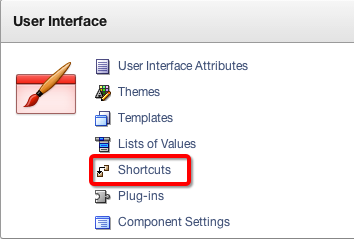
The other day I was dabbling around in APEX and noticed a link for Shortcuts in the Shared Components section.


I’ve never used Shortcuts before (let along knew about them) so I tried it out. To start here’s how Shortcuts are described (as copied from APEX screen):

Shortcuts are a repository of shared static or dynamic HTML. Shortcuts are substitution strings that are expanded using the syntax: "SHORTCUT_NAME". Shortcuts are used in the following locations:

  • Region Source for regions of type HTML_WITH_SHORTCUTS
  • Region Templates, Region Headers & Footers
  • Item Labels
  • Item Default Value
  • Item Post Element Text
  • Item Help Text
  • HTML Header of a page

Creating shortcuts on page item labels and page item post element text attributes can include the following substitution strings: 
#CURRENT_FORM_ELEMENT# 
#CURRENT_ITEM_ID# 
#CURRENT_ITEM_NAME# 
#CURRENT_ITEM_HELP_TEXT#

To reference Shortcuts you need to use the “shortcutname” syntax (quotes included). Since they are wrapped in quotes and could conflict with regular text I strong recommend using a naming scheme such as SC_NAME.

Note: I previously wrote an article about the different ways to reference APEX variables. I have updated it to include Shortcuts. The article is available here.

Shortcuts can either be statically defined or reference a PL/SQL function. It’s important to note that if you do call a PL/SQL function it will execute the code each time the Shortcut is referenced. For example, if you have the same Shortcut in three different regions on a page it’ll call the function three times. This may be a good or bad thing depending on how you use it.

Though I haven’t found an immediate need for Shortcuts I think there could be some situations where it can come in handy for labels and templates especially since it allows you to reference a function which can dynamically generate content.